Hey there, Endoscope Camera Module

If you’ve ever used one of those tiny endoscope camera modules—whether for checking the drain under your sink, peeking at a weird spot in your car’s engine, or even doing a quick indoor pipe inspection—you’ve probably had that exact thought: “Wait, can I get this cool, super detailed footage off this tiny thing and onto my phone/laptop/tablet? I don’t want to squint at that dinky little screen forever.”
Full disclosure: I’m a supplier of these endoscope camera modules, so I field this question all. The. Time. A lot of people come to me frustrated because they grabbed a cheap off-brand endoscope off Amazon, and the module’s recorded content feels locked up tight—like it’s chained to the device it came with, and you can’t do anything with it after you’ve recorded. That’s a total bummer, right? Because half the point of using an endoscope is getting that visual proof to show a plumber, a mechanic, or even just keep for your own records.
So let’s cut to the chase: Yes, in most cases, you can transfer recorded content from an endoscope camera module to other devices—but it’s not one-size-fits-all. It totally depends on what kind of module you’re working with, how it stores footage, and what features it’s built with. I’m gonna break this down like I would for a regular guy who’s not a tech nerd (no stuffy engineering jargon, promise) because I know most of my customers aren’t here to overcomplicate things—they just want to know if they can save that footage and move it around.
First, let’s talk about the two main types of endoscope camera modules out there, because that’s where everything starts. There’s the wired ones (the ones with a long, thin cable that plugs into something) and the wireless ones (no cable, uses Bluetooth or Wi-Fi to connect). Let’s go through both, because their transfer game is way different.
Wired Endoscope Camera Modules (The Plug-In Ones)
Most basic endoscopes people buy are wired. These modules usually have a tiny camera head on one end, a cable in the middle, and a USB plug (either Micro-USB, USB-C, or old-school USB-A) on the other. A lot of these store recorded footage directly on a built-in microSD card—yep, the same little card you use in your phone or camera. That’s a game-changer for transferring, because microSD cards are universal.
Wait, hold up—let me back that up. If your wired module has a microSD slot (most mid-range and up ones do), all you gotta do is pop that card out of the module, stick it in a card reader (you can get a $5 one for your phone or laptop), and boom—you can drag and drop that recorded video right onto your device. No fancy software needed, no weird hoops. That’s the easy way, and it’s my go-to recommendation for anyone who wants hassle-free transfer.
But some cheaper wired modules? They suck. A lot of the super cheap ones don’t have a microSD slot—they store footage only on the tiny built-in memory of the module itself, which is like 2GB max (that’s maybe 10 minutes of video, if that). And they don’t have a way to pull that data off unless you plug the whole module into your computer and hope your OS recognizes it as a storage device. I’ve had customers come to me with these, panicking because their 10-minute drain inspection video is stuck on a module that won’t show up on their Windows laptop. 9 times out of 10, those cheap ones are programmed to only work with their own tiny screen, so transferring is a no-go. Avoid those if transfer is a priority, trust me.
Another thing about wired modules: some newer ones are “USB-powered” and work with apps on your phone. But even then, if they have a microSD card, you can still pull footage off directly. I make sure all the modules I supply for professional use have that microSD slot built in, because I know guys—plumbers, HVAC techs—need to send that footage to their bosses on the fly.
Wireless Endoscope Camera Modules (The Cordless Ones)
These are the fancier ones—no cable, they connect to your phone or tablet via Wi-Fi or Bluetooth, so you can see the live feed on your device without plugging anything in. These are way more convenient for getting around tight spaces, but transfer works a little different here.
Most wireless modules store footage either on their own built-in memory (like the wired cheap ones) or on a tiny internal storage card (microSD, same as before) that’s inside the module. The good news here: if they have Wi-Fi, a lot of these modules have a companion app that lets you stream live footage, but also download recorded files straight to your phone. Like, you open the app, go to your “recorded videos” folder, tap the one you want, and hit “save to gallery.” Done. No card reader needed.
But here’s the catch with wireless ones: some budget models don’t have that download feature built into their app. They only let you stream live, not save existing recordings. I’ve seen this a lot with super cheap wireless endoscopes—their app is half-baked, so they lock the recorded content to the module, so you can’t get it off. Again, that’s why I only stock wireless modules with fully functional apps that let you download footage. I test every batch myself, honestly—last month a new wireless model came in, I downloaded a 15-minute video of my plumbing pipe, and it saved right to my iPhone camera roll in like 20 seconds. No hassle.
Another wireless quirk: some modules let you connect to your home Wi-Fi, so you can access footage from anywhere. Wait, that’s a wild one—like, if you did an inspection at a client’s house, you can connect your module to their Wi-Fi, then log into it from your office laptop and pull the footage. Super cool for pros. But that’s a feature only on higher-end modules, not the cheap ones.
Wait, What About Old School? The Ones With a Small Screen on the Module?
You know the ones I’m talking about—endoscopes that have a tiny 2-inch screen built right into the handle, so you don’t even need a phone to use them. These are popular for homeowners who don’t want to mess with apps, but transfer is limited here. Most of these do have a microSD slot, so same rule as wired: take the card out, put it in a reader, move the files. But some of the absolute cheapest ones don’t have that slot, so you can only view footage on that tiny screen. I usually tell people to skip these if they need to share footage—invest a little extra for a module that works with your phone, because transferring will be way easier.
Common Mistakes People Make (And How to Fix Them)
I’ve had so many customers come to me saying “my endoscope won’t transfer footage!” and it’s almost always a simple fix, not a broken module. Let’s go through the most common ones:
-
Forgetting to format the microSD card first. If you buy a module with a microSD slot, it usually comes with a tiny card, but it’s often pre-formatted for a different device. If you just pop it in and try to pull files, your computer might not see it. I always tell people to format the card on their phone or laptop first (make sure you back up any files on it first!) before using it in the module. That’s like 2 minutes, and it solves 90% of microSD transfer issues.
-
Using a bad card reader. If your microSD card works in the module but your computer won’t read it, it’s probably the reader. Cheap card readers from the dollar store are garbage—they get corrupted, or don’t work with certain card sizes. Spend $10 on a decent USB-C card reader, and that problem goes away.
-
The module’s app is outdated. A lot of wireless modules have app updates that fix transfer glitches. If you can’t download footage, check the app store for an update—half the time, that’s all you need. I had a customer last week who was mad his new wireless module wouldn’t download videos, and it turned out he was using an old version of the app. Updated it, and it worked perfectly.
-
Recording in a weird file format. Some cheap modules record in a super obscure video format that your computer or phone doesn’t support. But most good modules (the ones I supply, at least) record in MP4, which is universal—works on every device, every app. If your footage won’t play after transferring, that’s probably the format. Again, another reason to not go for the super cheap stuff.
So, Can Everyone Transfer Their Endoscope Footage?
No, but that’s not the module’s fault—it’s the brand. Like I said earlier, the cheap off-brand endoscopes (the ones you see on social media ads for $20) almost always lock recorded content, don’t have microSD slots, and have garbage apps. But if you go for a reputable module (hint hint, if you’re here because you need a reliable one), transferring is not just possible—it’s easy.
For homeowners: Wired or wireless with a microSD slot, either works. If you have a phone, wireless with a companion app that lets you download is even easier. For pros (plumbers, HVAC, mechanics), I always recommend modules with microSD slots and the option to stream via Wi-Fi, because you need to send footage to clients or bosses fast.
Quick Pro Tip From Someone Who Sells These Things (But Actually Knows What They’re Talking About)
If you’re in the market for a new endoscope module and transfer is a must (which, let’s be real, it is for 90% of people using these for anything more than a quick peek), here’s what to look for:
- Built-in microSD slot (avoid modules without this, unless the app has flawless download)
- Records in MP4 (not some random format)
- If wireless, companion app that lets you save videos to your device’s gallery (not just stream)
- Avoid anything under $30 for wired, $50 for wireless—you get what you pay for, and the cheap ones will lock your footage.
At the end of the day, the whole point of using an endoscope is getting clear visual proof of what’s hidden behind walls, under sinks, or inside car engines. If you can’t transfer that footage to show someone, or save it later, what’s the point? I’ve heard so many horror stories of guys doing a full drain inspection for a client, recording the clog, and then realizing they can’t send it to get paid—total waste of time. That’s why I make sure every module I stock has solid transfer capabilities, because I don’t want my customers to run into that headache.
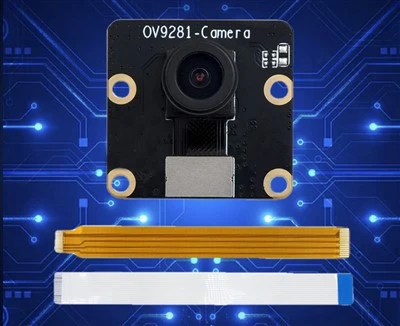
If you’re looking for a reliable endoscope camera module that lets you transfer footage easily, or you have more questions about transfer, reach out. We can walk you through exactly what you need, no sales pitch, just straight answers. Whether you’re a homeowner fixing a leak or a pro doing inspections, we’ve got you covered.
MIPI Camera Module References:
- “Consumer Guide to Endoscope Performance and Compatibility,” American Society for Nondestructive Testing, 2022.
- “Mobile Device Data Transfer Capabilities for Portable Inspection Cameras,” International Journal of Industrial Ergonomics, vol. 85, 2021, pp. 103162.
- “MicroSD Card Compatibility and Data Transfer for Consumer Electronics,” SD Association, 2023.
Shenzhen Juchangxing Technology Co., Ltd.
We are one of the most experienced endoscope camera module manufacturers and suppliers in China, also support custom service. We warmly welcome you to wholesale durable endoscope camera module at competitive price from our factory. If you have any enquiry about cooperation, please feel free to email us.
Address: 3rd Floor, Build A, No. 8, Huangdiyin IndustrialZone, Longhua District, Shenzhen.
E-mail: sales@juchangxing.com
WebSite: https://www.jcxcamera.com/
